
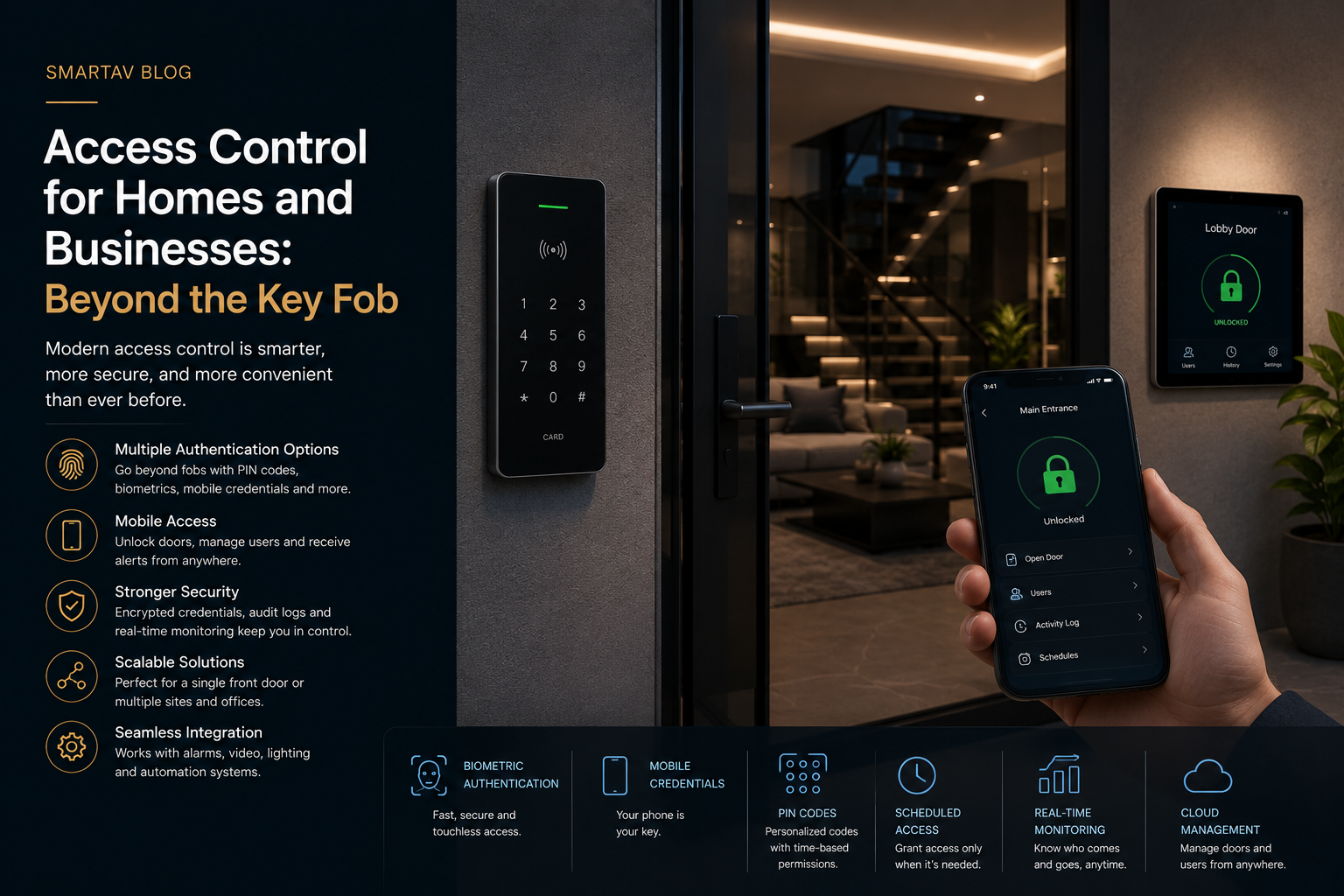
A lost house key means a locksmith call and, ideally, a lock change. A lost office key fob means every fob on that access group is a potential liability until it’s deactivated — if anyone even notices it’s missing. Both scenarios point to the same underlying weakness: physical credentials, whether a metal key or a plastic fob, can’t be revoked remotely, can’t tell you who actually used them, and can’t adapt to a household or business that changes over time.
The Problem With Traditional Key-Based Access
Physical keys and standard fobs share three structural weaknesses that access control technology exists specifically to solve:
No way to know who used them. A key doesn’t record who turned it or when. If something goes wrong, there’s no record to check — just a list of everyone who theoretically had access.
No way to revoke access remotely. Losing a key means changing locks, or living with the risk that whoever has it can still get in. There’s no equivalent of remotely deactivating a credential the moment it’s reported missing.
No way to grant temporary or limited access. A contractor, a dog walker, a house sitter, or a new employee either gets a full, permanent key or doesn’t get one at all — there’s no middle ground for “access on Tuesdays between 9am and 5pm for the next month.”
Modern access control addresses all three by replacing physical keys with digital credentials that can be granted, limited, tracked, and revoked instantly.
Consider a common commercial scenario: an employee leaves the company on short notice. With a traditional key system, the honest answer to “are we still secure?” is often no — unless every affected lock gets rekeyed immediately, which is expensive and disruptive enough that many businesses delay it, quietly accepting the risk in the meantime. With access control, that same employee’s credential is deactivated the moment HR flags the departure, with zero disruption to anyone else’s access and a complete log confirming exactly when the change took effect.
What Modern Access Control Includes
A complete access control system is built from a handful of complementary technologies, each solving a slightly different piece of the problem:
1. Video Intercoms
A video intercom lets you see and speak with anyone at the door before granting access — from a wall-mounted panel, a phone app, or both. For multi-unit residential buildings and businesses, video intercoms typically integrate with a broader access system, allowing remote unlock from anywhere rather than requiring someone to be physically present at a panel.
2. Smart Locks
Smart locks replace or supplement a traditional deadbolt with electronic locking controlled by a code, mobile credential, or integration with a broader automation system. Unlike a standalone consumer smart lock, professionally integrated locks report their status (locked, unlocked, who unlocked it, and when) back to the central system rather than operating in isolation.
3. Biometric Readers
Fingerprint or facial recognition readers offer the highest level of certainty that the person requesting access is actually who they claim to be — a credential that can’t be lost, lent out, or duplicated the way a fob or code can. These are more common in commercial applications and higher-security residential entries than as a primary residential front-door solution, though adoption is growing.
Biometric systems do come with trade-offs worth understanding before specifying them. Facial recognition performance can be affected by lighting conditions and camera angle, and both fingerprint and facial systems require a fallback credential (a code or mobile app) for edge cases — a bandaged finger, a face partially obscured by winter weather. For most residential applications, biometrics work best as a secondary or convenience layer rather than the sole method of entry.
Choosing the Right Combination for Your Property
Few properties need every technology described above — the right combination depends on the specific entry points and how the property is actually used. A single-family home might reasonably combine a smart lock at the front door with a video intercom, skipping biometrics entirely. A commercial property with a mix of public-facing and restricted areas might use a video intercom at the main entrance, mobile credentials for general employee areas, and biometric readers specifically for a server room or other high-security zone.
The design question worth asking for each entry point isn’t “what’s the most advanced option available” but “what level of certainty and convenience does this specific door actually need” — a garden shed and a home office don’t need the same security posture, even within the same property.
Mobile Credentials and Remote Access
The most significant shift in access control over the past several years has been the move toward smartphone-based credentials. Rather than carrying a physical fob, a user’s phone itself becomes the credential — communicating with the reader over Bluetooth or NFC, the same technology used for contactless payment.
This unlocks capabilities that physical credentials simply can’t offer: granting access remotely to someone who’s never set foot in your building before they arrive, setting a credential to expire automatically after a specific date, and revoking access instantly from an app the moment it’s no longer needed — no locksmith, no waiting, no lingering risk from an unreturned key.
Access Logs and Audit Trails
Every interaction with a modern access control system — who entered, through which door, at what time — is recorded automatically. For a business, this creates a genuine audit trail: knowing exactly who was in a server room, a stockroom, or an office after hours isn’t a matter of guesswork or reviewing camera footage frame by frame, it’s a searchable log.
For homes, the same logging answers quieter but still meaningful questions: confirming the dog walker actually came by, seeing what time the kids got home from school, or checking that a contractor left when they said they would — all without needing to review camera footage directly.
From the field: We’re frequently asked to add access logging to a system after an incident where it would have helped — a dispute over whether a contractor was actually on-site, for instance. It’s a feature that’s easy to underrate until the one time you specifically need it.
Residential vs. Commercial Access Control Needs
While the underlying technology overlaps significantly, residential and commercial access control tend to prioritize different features:
| Factor | Residential | Commercial |
|---|---|---|
| Typical entry points | Front door, garage, side entries | Main entrance, individual offices, restricted areas |
| Credential type | Mobile app, keypad code, occasionally biometric | Mobile app, fob, biometric for high-security areas |
| Access logging priority | Useful, not usually critical | Often required for compliance and liability |
| Number of users | Household members, occasional guests | Employees, contractors, visitors — higher turnover |
| Integration priority | Smart home (lighting, cameras, alarm) | Security system, HR/employee management, cameras |
| Typical urgency | Convenience and peace of mind | Liability, compliance, and operational control |
Residential systems generally prioritize convenience and integration with the rest of a smart home. Commercial systems place more weight on accountability, compliance, and managing a larger, more frequently changing group of credential holders.
Integration With Your Smart Home or Building System
Access control performs best when it’s not siloed from the rest of a property’s automation. On the residential side, an unlock event can trigger interior lighting, disarm a security system, or start a “Welcome Home” scene automatically — turning access control into part of the broader smart home experience rather than a separate system with its own app. On the commercial side, access events can feed into building management systems, triggering lighting or HVAC zones only when a space is actually occupied, or flagging security if an after-hours entry doesn’t match an expected schedule.
→ Related: For how this fits into a broader security strategy, see Smart Home Security Systems: What Integrators Offer That DIY Can’t
Installation Considerations for Existing Doors
Retrofitting access control onto existing doors is generally straightforward, but a few practical factors affect what’s realistic:
Door and frame material. Wood, steel, and aluminum-frame doors each have different mounting requirements for electronic strikes and smart lock hardware — most standard residential and commercial doors accommodate modern access hardware without modification, but unusual door types (heavy glass storefronts, historic doors in older Toronto buildings) sometimes need custom mounting solutions.
Existing wiring. Video intercoms and electronic strikes typically require low-voltage wiring to the door — straightforward in new construction, more involved in a retrofit depending on wall construction and existing conduit. Battery-powered smart locks avoid this requirement entirely, trading a periodic battery change for wiring simplicity.
Fire code and egress requirements. Commercial installations in particular need to account for fire code requirements around egress — access control on an exit door generally needs to allow free exit from inside even when locked from outside, a requirement your integrator should confirm compliance with during design, not after installation.
What Access Control Typically Costs
Pricing scales with the number of entry points, credential types, and whether the system needs to support commercial-scale user management.
| Project Scope | Typical Installed Cost (Toronto, 2026, CAD) |
|---|---|
| Residential — single entry, smart lock + video intercom | $2,000–$6,000 |
| Residential — whole-property, multiple entries + automation integration | $6,000–$15,000 |
| Commercial — single door, card/mobile credential reader | $3,000–$8,000 per door |
| Commercial — multi-door with centralized management and logging | $15,000–$50,000+ |
These figures include hardware, installation, and system configuration. Commercial installations with extensive wiring requirements or integration with existing building management systems may carry additional costs depending on scope.
Frequently Asked Questions
Can access control be added to an existing home without major renovation?
In most cases, yes — modern smart locks and video intercoms are designed for retrofit installation, typically replacing existing hardware at the door rather than requiring structural changes. Wiring requirements vary by product, and your installer can confirm compatibility with your specific doors during a site assessment.
Is a mobile credential secure enough to replace a physical key entirely?
Yes, when properly implemented — mobile credentials use encrypted communication and can be revoked instantly, which is a meaningful security advantage over a physical key that can be duplicated without your knowledge. Most residential systems retain a backup method (a keypad code, for instance) in case a phone is unavailable or its battery dies.
How many people can typically be managed on a system?
This varies by system, but residential platforms generally handle a household’s needs without issue, while commercial-grade systems are built to manage hundreds or thousands of credentials with role-based permissions — different access levels for different employees or areas.
Does a business need access control if it already has security cameras?
Cameras and access control solve different problems — cameras show you what happened, access control determines who can get in and creates a record of when they did. Many businesses use both together, since cameras alone don’t prevent unauthorized entry, and access control alone doesn’t capture visual context.
What happens to access control during a power outage?
Most professionally installed systems include battery backup for a set period, ensuring doors remain controllable during a short outage. For longer outages or critical entry points, some systems can be configured with a physical key override as a fail-safe, balancing security with the practical need to guarantee entry is always possible.
Design Your Access Control System
SmartAV designs access control for homes and businesses across Toronto, from a single smart lock to full multi-door commercial systems with centralized management.
Design your access control system →
📞 (416) 904-0504