
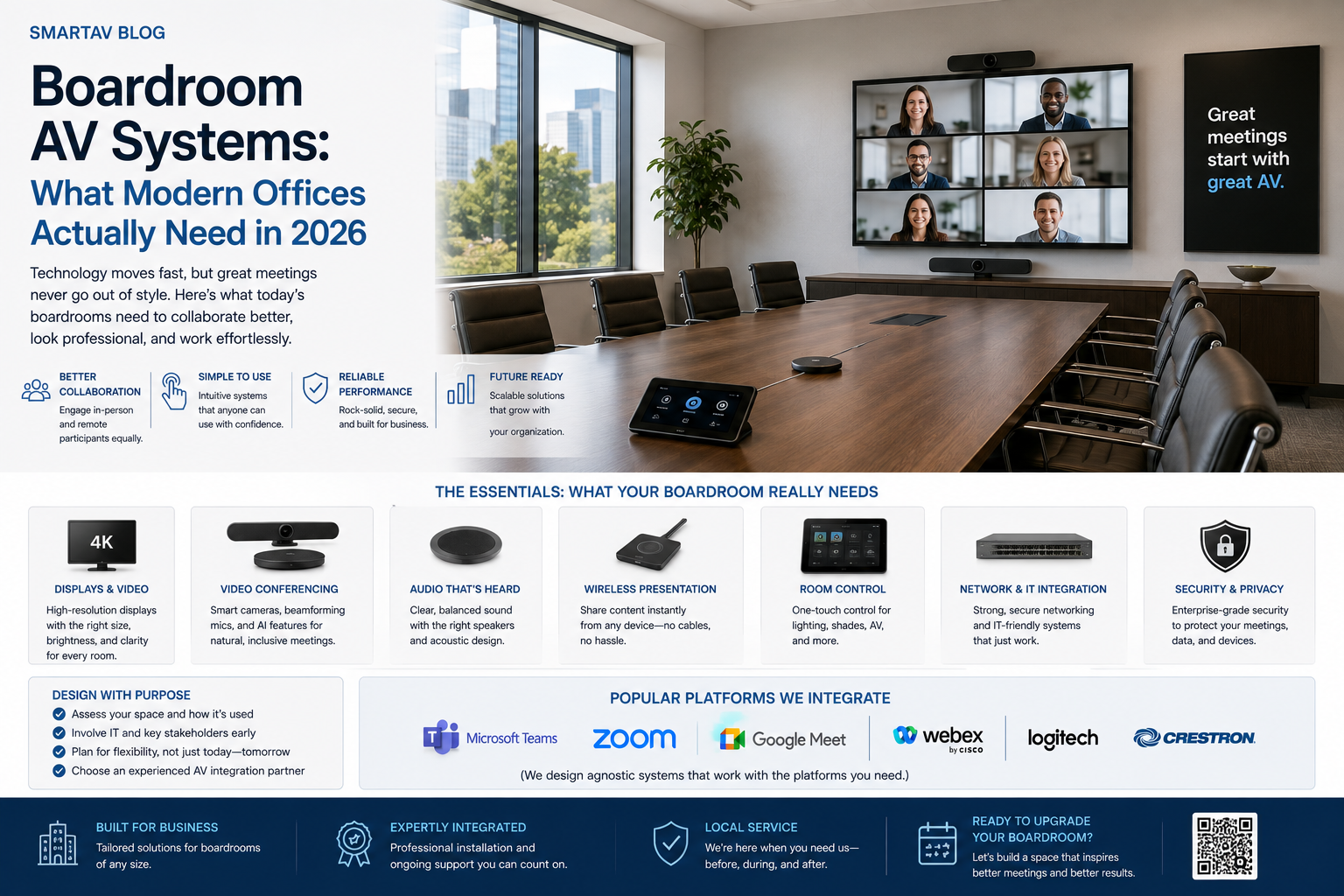
Picture two versions of the same 9am meeting. In the first, someone spends the opening four minutes finding the right HDMI cable, restarting the conferencing app, and asking remote participants “can you hear me now?” three times before anyone actually gets to the agenda. In the second, someone taps a single button on the way into the room, and by the time everyone’s seated, the call is live, the camera is framed correctly, and the room’s microphones are already picking up every voice clearly. The technology gap between those two meetings is smaller — and cheaper to close — than most offices assume.
The Problem With Most Boardroom Setups
The typical underperforming boardroom wasn’t badly designed on purpose — it was assembled incrementally. A TV was mounted, a laptop got plugged in with whatever cable was on hand, a conferencing app was added later, and a microphone was bolted on when someone complained they couldn’t be heard on calls. None of it was designed as one coordinated system, and it shows every time a meeting starts.
The most common symptoms: a multi-minute delay at the start of every meeting while someone figures out cables and app settings, remote participants struggling to hear or be heard clearly, camera framing that shows half the room or nobody at all, and content sharing that requires physically connecting a cable rather than simply presenting from a laptop wirelessly.
The cost of this friction is easy to underestimate because it’s spread across dozens of small delays rather than showing up as a single line item. A five-minute delay at the start of every meeting, multiplied across a company running a dozen meetings a day, adds up to a genuinely significant amount of lost time annually — before accounting for the harder-to-quantify cost of remote participants disengaging from meetings where they can’t hear clearly or see who’s speaking.
One-Touch Meeting Start
This is the single highest-impact upgrade for most boardrooms, and it’s less about any one piece of hardware than about integration. A properly designed system starts a scheduled meeting — camera on, correct input selected, microphones live, the right conferencing platform launched — from a single tap on a touch panel or even automatically when the room’s calendar shows a meeting starting. The multi-minute fumble at the start of every call disappears entirely.
For this to work reliably, the room’s calendar system (typically synced with Outlook or Google Calendar) needs to be integrated with the AV control system, not just displayed on a screen outside the door — the integration is what allows “meeting starts” to actually trigger the right sequence of actions automatically.
Auto-Framing Conferencing Cameras
Modern conferencing cameras use AI-based framing to automatically detect and frame the people in a room, adjusting as participants move, stand, or join partway through a meeting — a meaningful improvement over a fixed wide-angle camera that shows an entire empty conference table with people squeezed into a small corner of the frame.
Better systems go further with speaker tracking, subtly framing toward whoever is currently speaking, or splitting the frame to show multiple speakers clearly when several people are in the discussion at once. For remote participants, this is often the single biggest factor in whether a hybrid meeting feels genuinely inclusive or like an afterthought.
The practical difference shows up clearly in longer meetings with a mix of in-room and remote attendees. A fixed wide camera leaves remote participants staring at a static wide shot, unable to read facial expressions or tell who’s about to speak next. An auto-framing system with speaker tracking gives remote attendees something closer to what they’d experience actually sitting in the room — a real factor in whether hybrid meetings feel like a genuine collaboration or a diminished version of an in-person one.
Ceiling Microphone Arrays and Echo Cancellation
Audio quality matters more than video quality for most meetings — people tolerate imperfect video far more readily than audio they can’t understand. Ceiling-mounted microphone arrays, positioned to cover the entire table rather than relying on a single tabletop puck microphone, capture every participant clearly regardless of where they’re sitting, while built-in echo cancellation prevents the audio feedback loop that happens when a room’s speakers and microphones interact poorly.
For larger boardrooms or rooms with hard, reflective surfaces (glass walls and tables are both common and both acoustically challenging), proper microphone array placement and basic acoustic treatment make a bigger difference to remote participants’ experience than almost any other single upgrade.
SmartAV note: We consistently see companies invest heavily in a large display and a good camera while treating audio as an afterthought — then wonder why remote participants still struggle to follow the meeting. Audio quality is where the actual meeting comprehension lives; get that right first.
Wireless Content Sharing Solutions
Requiring a physical cable to share a laptop screen is one of the most common friction points in boardroom design, particularly in rooms hosting a mix of employee and visitor laptops with varying cable and adapter compatibility. Wireless presentation systems let any authorized device share content to the room’s display without a physical connection — walking in, connecting to the room’s network, and presenting within seconds, regardless of laptop brand or available ports.
For rooms hosting frequent guest presenters, wireless sharing with simple guest access (a temporary code or QR-code-based connection) removes a genuine barrier that cable-dependent setups create for anyone who isn’t already familiar with the room’s specific hardware.
Integration With Teams, Zoom, and Google Meet
Most organizations run more than one conferencing platform, or need the flexibility to accommodate whichever platform a client or partner uses. A well-designed room supports Microsoft Teams, Zoom, and Google Meet from the same hardware, rather than being built around a single platform that creates friction the moment a meeting needs to run on something else.
This is achieved through certified conferencing hardware — cameras, speakers, and control systems specifically designed to work natively across major platforms, rather than requiring separate dedicated hardware for each service.
→ Related: For how boardroom systems fit into broader commercial automation, see Smart Building Control: How Commercial Automation Reduces Operating Costs
What a Modern Boardroom System Costs
Pricing scales with room size, camera and microphone sophistication, and display technology.
| Room Type | Typical Installed Cost (Toronto, 2026, CAD) |
|---|---|
| Small huddle room (2–6 people) | $8,000–$18,000 |
| Mid-size boardroom (6–12 people) | $20,000–$50,000 |
| Large boardroom or executive room (12+ people) | $50,000–$120,000+ |
These figures include displays, cameras, microphone arrays, control systems, and professional installation and programming. Video wall displays, where included instead of a standard screen, are typically quoted separately due to significant cost variation by size and technology.
SmartAV’s Commercial AV Process
SmartAV designs boardroom systems around how a specific organization actually runs meetings — room size, typical meeting format, and which conferencing platforms are in use — rather than a generic package. Every installation includes calendar integration for one-touch meeting start, professional calibration, and staff training so the system gets used correctly from day one.
Frequently Asked Questions
Can an existing boardroom be upgraded without replacing everything?
Often, yes — displays and control systems can frequently be retained while upgrading cameras, microphones, or adding calendar integration, depending on the age and compatibility of existing equipment. An assessment of current hardware is the first step in scoping an upgrade versus a full replacement.
How long does a boardroom AV installation typically take?
For a standard mid-size room, installation and programming typically takes 3–7 days depending on scope, with minimal disruption to the rest of the office if work is scheduled outside core business hours.
Do we need IT staff to manage the system after installation?
Well-designed systems are built to require minimal ongoing management — most day-to-day operation is fully automated. For larger deployments across multiple rooms, some organizations do maintain basic internal familiarity with the system, though SmartAV provides remote support for most issues without requiring dedicated in-house AV staff.
Is one-touch meeting start compatible with our existing calendar system?
Most modern boardroom control systems integrate with Microsoft 365/Outlook and Google Workspace calendars natively. Compatibility with less common or legacy scheduling systems should be confirmed during the design phase.
Do larger boardrooms need a different approach than small huddle rooms?
Yes — beyond simply scaling up microphone and camera coverage, larger rooms benefit more from acoustic treatment (given more hard surfaces and greater distance for sound to travel) and often need multiple camera angles or a wider field-of-view solution to capture everyone clearly, which small huddle rooms typically don’t require.
Get a Boardroom Quote
SmartAV designs and installs boardroom AV systems for Toronto businesses, from single-room upgrades to multi-room corporate deployments.
📞 (416) 904-0504