
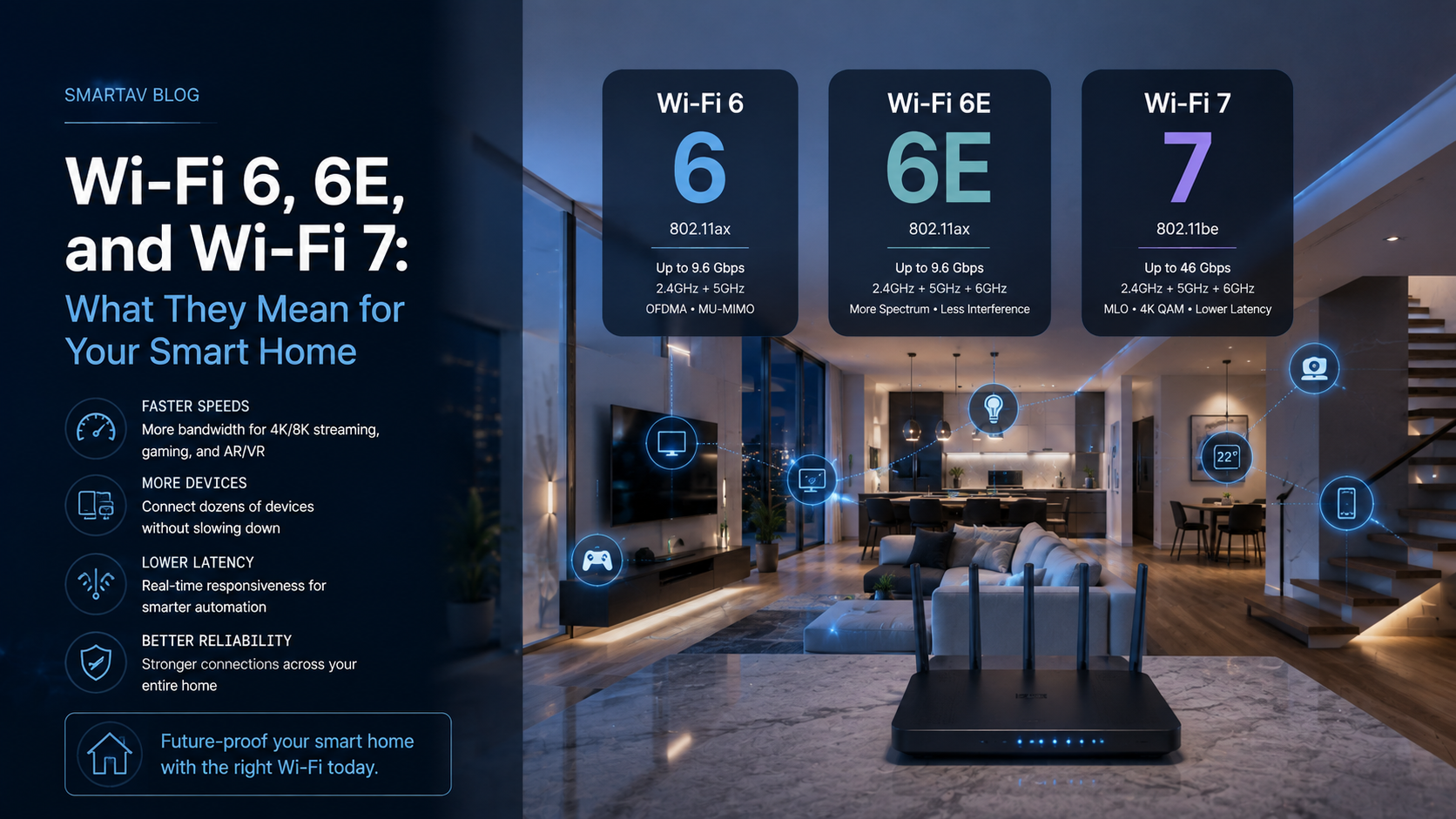
Wi-Fi standards update every few years, and the marketing rarely explains what actually changes in practical terms — particularly for a smart home, where the real benefit isn’t top-line speed but how well the network handles dozens of simultaneously connected devices. Here’s what Wi-Fi 6, Wi-Fi 6E, and the newer Wi-Fi 7 standard actually mean for a home running whole-home automation.
What Wi-Fi 6 Actually Changes
Wi-Fi 6 (also called 802.11ax) wasn’t primarily a speed upgrade — its most meaningful improvement for smart homes is efficiency in device-dense environments. A key technology called OFDMA allows a single access point to communicate with multiple devices in one transmission window, rather than serving devices one at a time in sequence. For a home with dozens of connected devices — cameras, sensors, keypads, speakers, phones — this translates to noticeably less congestion and more consistent performance than older standards, even before accounting for any raw speed improvement.
Wi-Fi 6 also introduced Target Wake Time, which lets battery-powered devices (sensors, some cameras, smart locks) schedule their check-ins more efficiently, extending battery life meaningfully for devices that don’t need constant connectivity.
Beyond OFDMA and Target Wake Time, Wi-Fi 6 also improved MU-MIMO (multi-user, multiple-input multiple-output) capacity, allowing an access point to communicate with more devices simultaneously via multiple antenna streams rather than switching between them in rapid succession. Combined, these improvements are why a Wi-Fi 6 network with the same number of devices as an older Wi-Fi 5 network typically feels noticeably more responsive, even at similar internet speeds.
The Case for Wi-Fi 6E (6 GHz Band)
Wi-Fi 6E adds access to an entirely new frequency band — 6 GHz — alongside the existing 2.4 GHz and 5 GHz bands older routers use. This matters for a specific reason: the 6 GHz band is essentially uncongested, since only Wi-Fi 6E-capable devices can use it at all, and it doesn’t yet carry the accumulated interference from years of neighbouring networks the way 2.4 GHz and 5 GHz do in denser areas.
For Toronto homeowners in condos, semis, or tightly packed neighbourhoods where dozens of nearby networks compete for the same 2.4 and 5 GHz spectrum, 6E’s dedicated band can deliver a genuinely more reliable connection — not because it’s inherently faster, but because it isn’t fighting for space with the neighbour’s router the way older bands are.
Wi-Fi 7: What’s New
Wi-Fi 7 (802.11be) is the newest standard, building on 6E’s foundation with wider channels, higher theoretical throughput, and a feature called Multi-Link Operation that allows a device to use multiple bands simultaneously rather than being locked to one — improving both speed and reliability by letting traffic shift dynamically between bands as conditions change.
For most homes in 2026, Wi-Fi 7 is most relevant on the access point and router side rather than requiring every device to support it — Wi-Fi 7-capable infrastructure still delivers meaningful congestion and reliability benefits to older Wi-Fi 6 and 6E devices connecting to it, even before client devices catch up to the new standard.
SmartAV note: We’re beginning to specify Wi-Fi 7-capable access points on higher-end installations specifically for the Multi-Link Operation benefit — it improves reliability for the whole network, not just for devices that support the new standard directly.
| Standard | Key Improvement | Best For |
|---|---|---|
| Wi-Fi 6 | Efficient handling of many simultaneous devices | Any device-dense smart home |
| Wi-Fi 6E | Uncongested 6 GHz band | Dense neighbourhoods, condos, multi-unit buildings |
| Wi-Fi 7 | Multi-Link Operation, wider channels | Larger homes, heavy streaming and automation loads |
How Many Devices Need Wi-Fi 6 (or Newer)?
This is a common misconception: it’s not about how many of your individual devices support the newer standard, it’s about how many total devices are competing for airtime on your network. A home with 40+ connected devices benefits from Wi-Fi 6 or 6E’s efficiency improvements even if only a handful of those devices are new enough to support the standard directly — because the improved handling of simultaneous connections benefits the whole network’s performance, not just the newest devices on it.
→ Related: For the full picture of what a properly designed smart home network includes beyond Wi-Fi standards, see Home Networking for Smart Homes: Why Consumer Routers Aren’t Enough
Pairing Wi-Fi 6/6E/7 With Structured Wiring
Upgrading to a newer Wi-Fi standard delivers the most benefit when it’s paired with proper access point placement and wired backhaul — meaning each access point connects back to the network switch over Ethernet rather than relying on a wireless mesh connection between nodes. A Wi-Fi 7 access point with a weak wireless backhaul connection to the rest of the network won’t perform meaningfully better than an older standard on a properly wired network.
This is why network upgrades are best planned alongside — not as a substitute for — proper structured wiring throughout the home.
Best Access Point Brands for Smart Homes
Professional-grade access points from brands like Ubiquiti, Araknis, and Ruckus are generally better suited to whole-home automation than consumer mesh systems, offering more granular network management, better multi-device handling, and support for VLANs and other segmentation features consumer equipment typically lacks. Consumer mesh systems have improved significantly and remain a reasonable option for smaller homes with lighter automation needs.
Does Your Current Smart Home Need an Upgrade?
A few signs suggest a network upgrade would meaningfully improve your smart home’s performance: cameras or devices that frequently drop offline, noticeably slower response times as more devices have been added over the years, or dead zones that force devices to constantly search for a signal rather than maintaining a stable connection. If none of these apply and your current network handles your device count comfortably, there’s no urgency to upgrade purely for the sake of a newer standard.
Frequently Asked Questions
Do I need to replace all my smart home devices to use Wi-Fi 6E or 7?
No — newer standards are backward compatible. Existing devices continue working normally; only devices that specifically support the newer standard take advantage of the additional bands and efficiency improvements directly, though the whole network benefits from reduced congestion.
Is Wi-Fi 6E worth it if I don’t live in a dense neighbourhood?
The benefit is smaller in less congested areas, since 2.4 and 5 GHz interference is less of an issue to begin with. The device-handling efficiency improvements from Wi-Fi 6 itself still apply regardless of neighbourhood density.
Should I wait for Wi-Fi 7 devices to become more common before upgrading?
Not necessarily — upgrading access points and routers to Wi-Fi 7-capable hardware now still improves network reliability for your existing Wi-Fi 6/6E devices, thanks to Multi-Link Operation’s benefits at the infrastructure level.
How often should smart home network equipment be upgraded?
Networking hardware doesn’t need replacing on a fixed schedule the way some consumer electronics do, but a review every 4–6 years is reasonable given how quickly device counts and standards evolve — particularly if you’re planning to add significant new smart home functionality.
Does the internet plan I pay for affect whether a Wi-Fi upgrade is worth it?
Not as much as homeowners often assume. Wi-Fi standard upgrades primarily improve how efficiently your network handles many local devices talking to each other and to access points — camera feeds, automation commands, local streaming — which matters regardless of your internet plan’s speed. A faster internet plan helps with external bandwidth (downloading, streaming from the internet), while a better Wi-Fi standard helps with everything happening on your local network.
Upgrade Your Home Network
SmartAV designs and installs professional-grade Wi-Fi 6E and Wi-Fi 7 networks built specifically for the demands of whole-home automation.
📞 (416) 904-0504